

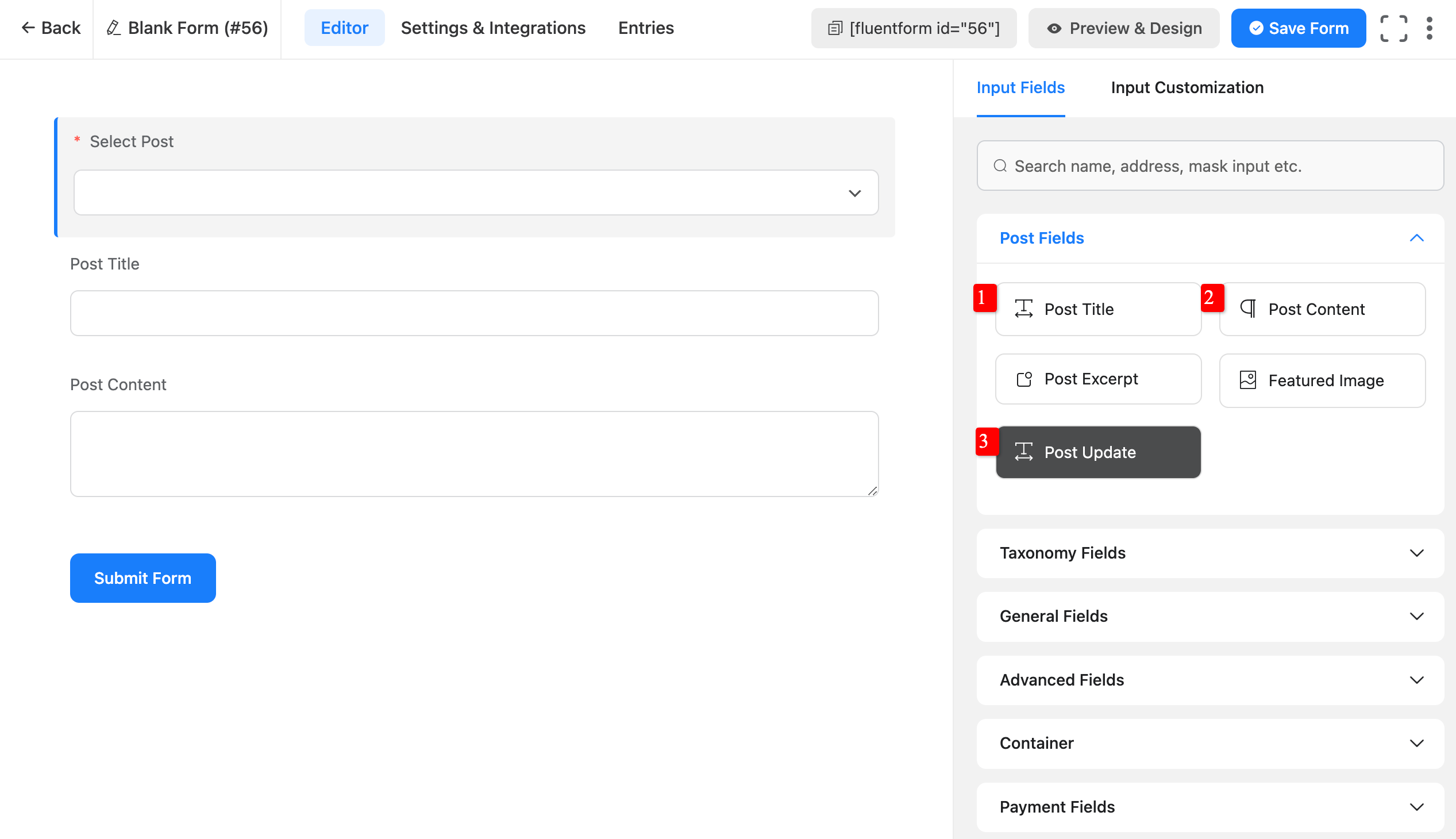
Fluent טפסים has added a new field called עדכון פוסט, which מאפשר לך להתאים את בחירת הבחירה של הפוסט. משתמשים יכולים לבחור פוסט לעדכן בטופס עדכון הפוסט. It מגביר את כוח תכונות יצירת הפוסט.
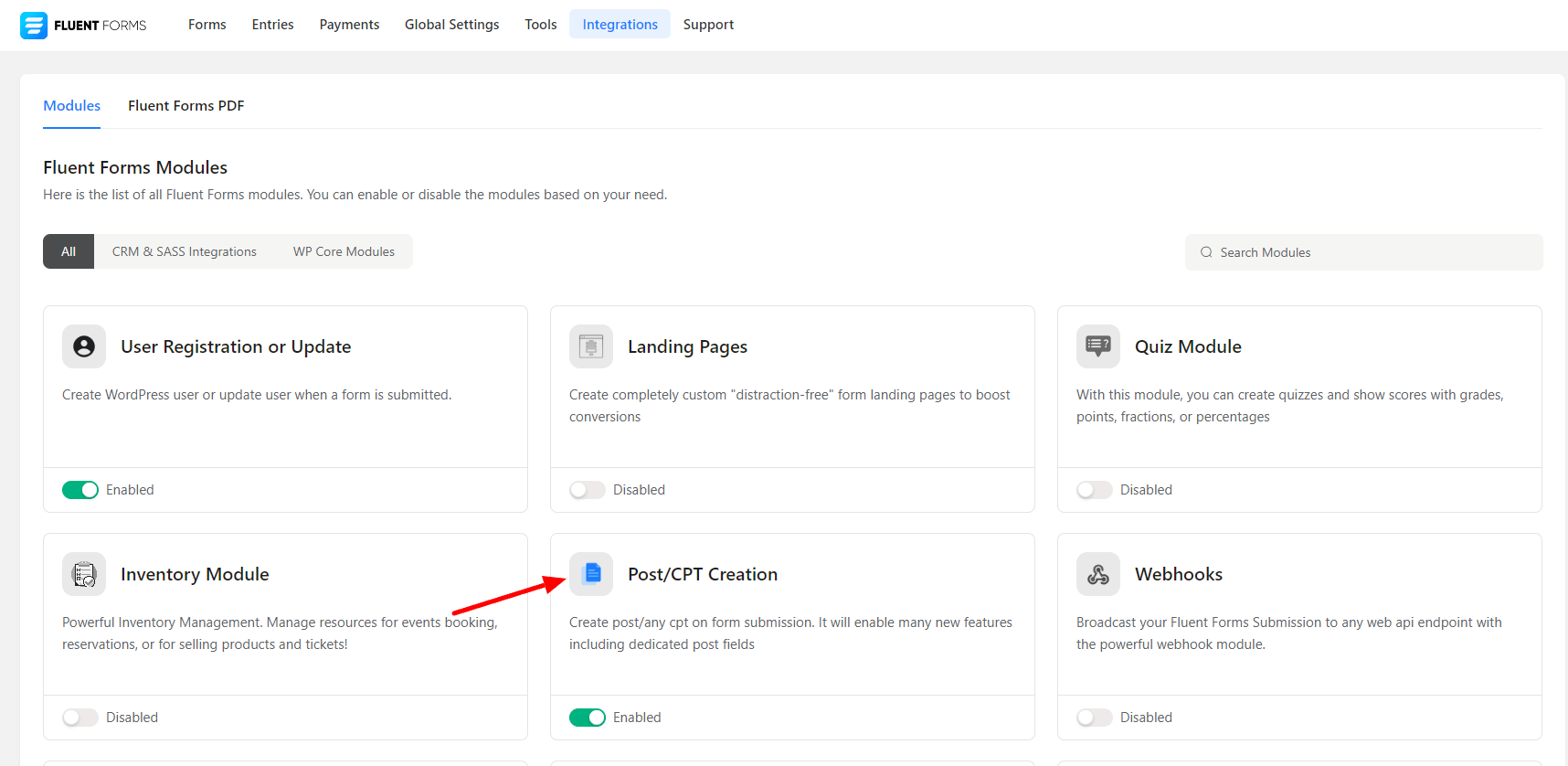
- At first, go to the מודולי אינטגרציה כרטיסייה and הפעל יצירת Post/CPT מודול. זה יספק לך אפשרות נוספת כדי להוסיף טופס פוסט, דומה לתמונת המסך below –
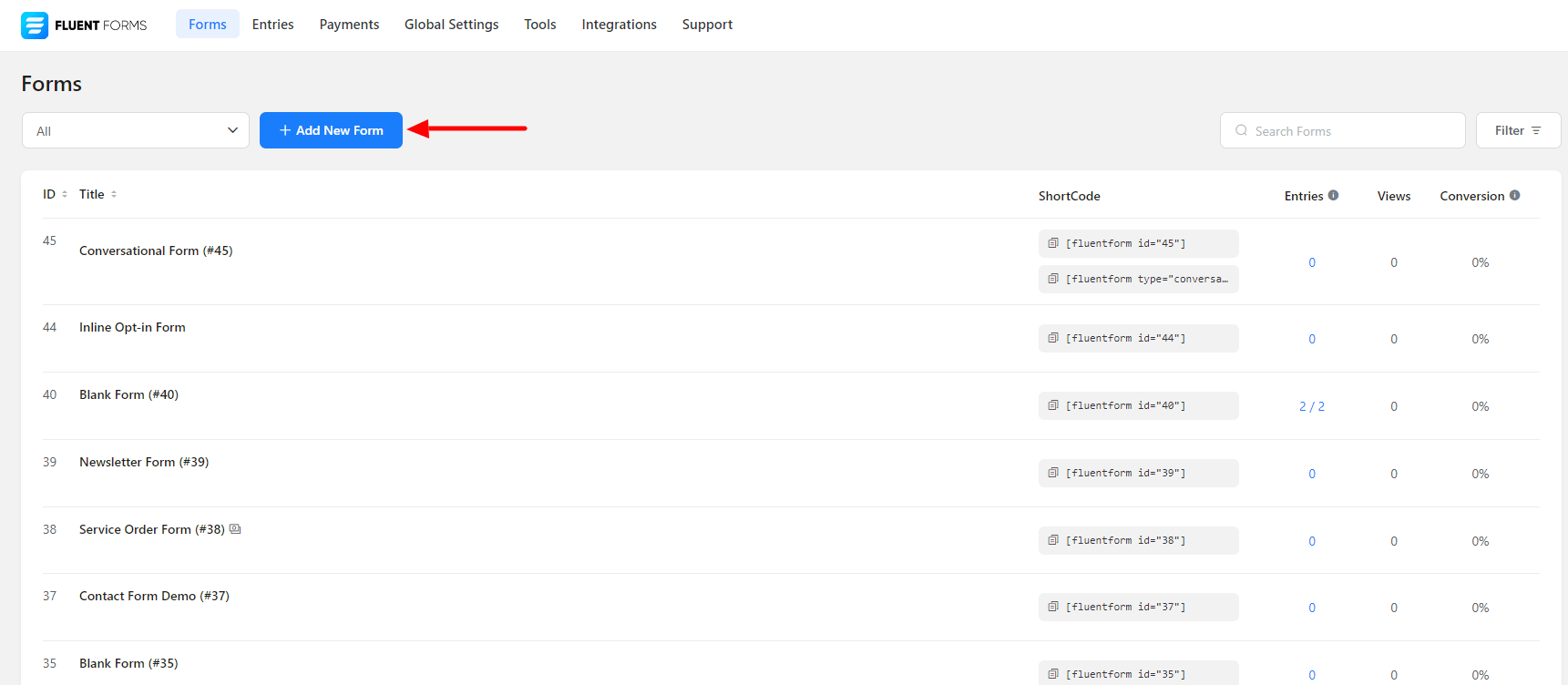
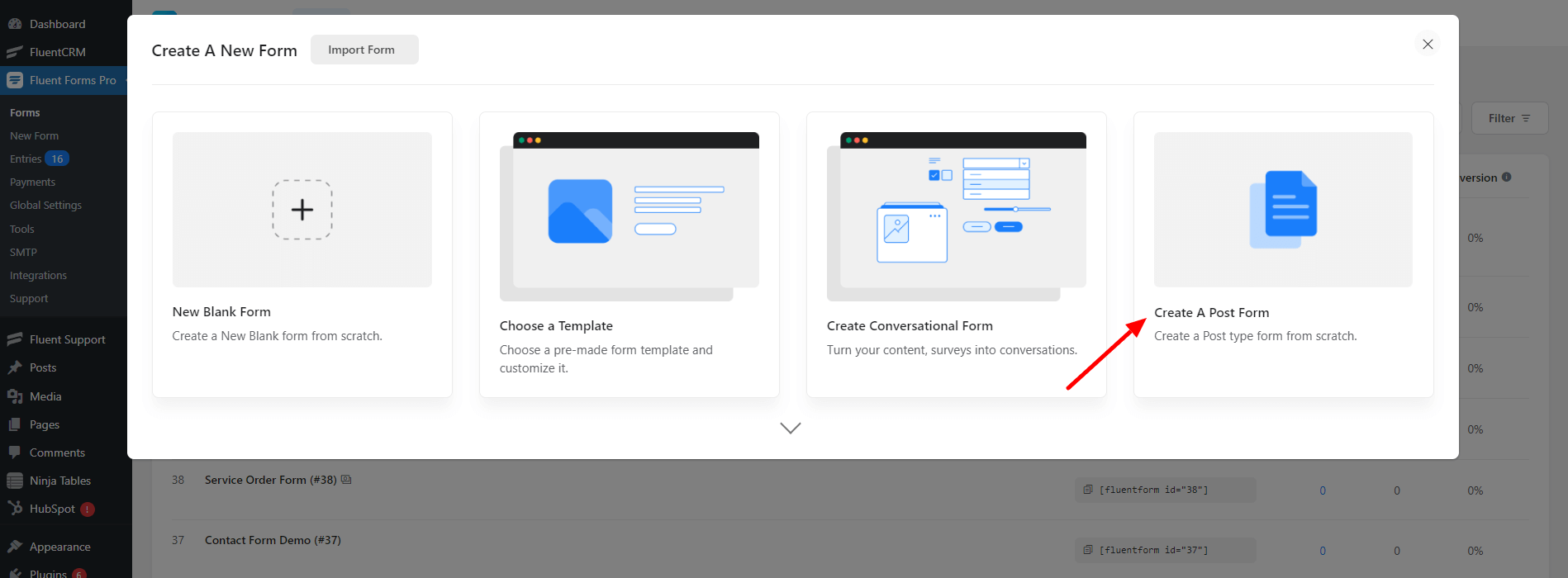
- Again hover over Fluent טפסים Pro and go to כל הטפסים, ואז לחץ על סמל החץ למטה בצד הימני של הוסף טופס חדש כפתור & בחר צור טופס פוסט.
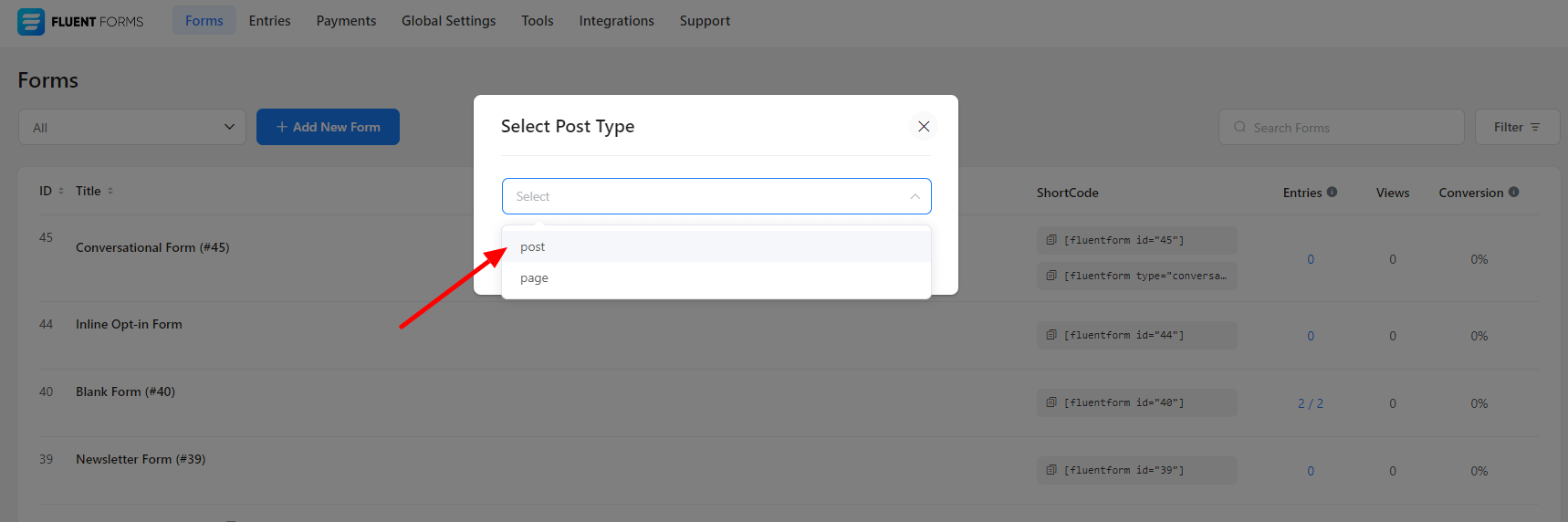
- Now, Select Post as a Post Type as the below screenshot-
- עבור ל the טופס פוסט you have just created before.
- You can add any Post Field here. You have to include the Post title, Post content, and עדכון פוסט here.
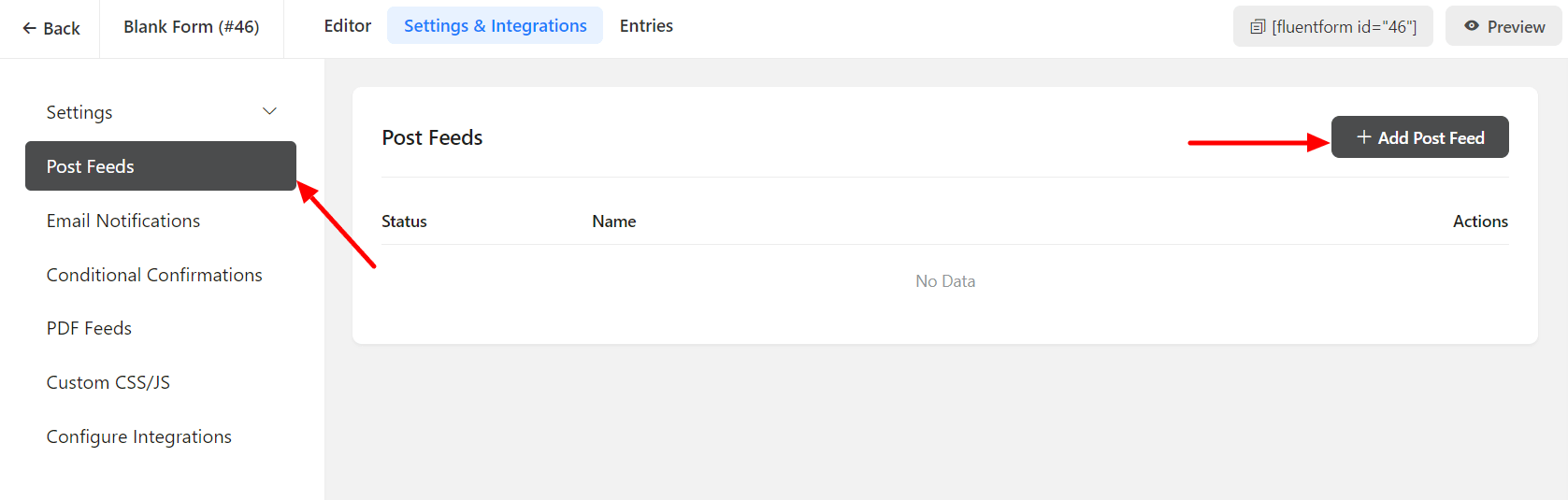
- Now, go to the הגדרות ואינטגרציות of the טופס פוסט and click on the Post Feeds.
- Then click on the Add Post Feed.
- Next, customize the Post Feed according ל needs by setting up the Feed Name, Post Type, etc.
- Submission Type is a new Feed option, which includes New Post and Update Post. For עדכון פוסט, only one feed is available; if you have more than one feed, the first one will work.
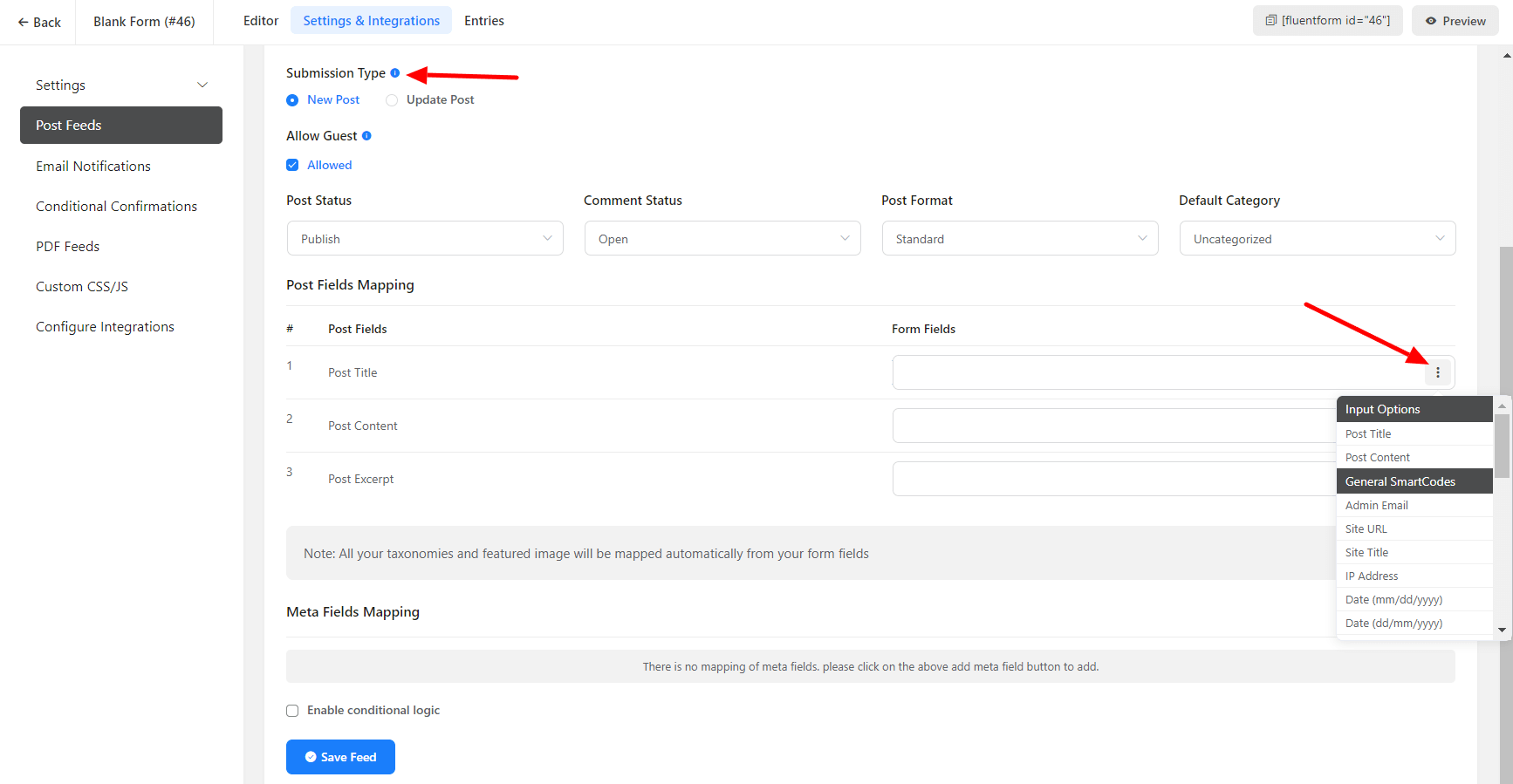
- Then the Post Fields Mapping has to be configured. You can choose the Post Fields shortcode על ידי לחיצה על ה menu (3 dots) on the right side.
- After saving the פוסט feed, you must insert the form into a page or פוסט. Additionally, the relevant פוסט will be updated when a user submits the form, and you can find the updated פוסט in the פוסט section.